 Farzana
This article will navigate you through the company 'Dashboard' and the options listed within the section.
Year-To-Date Payroll Cost
This area of the dashboard provides you with a graph of the company costings based on the payslip amounts processed.
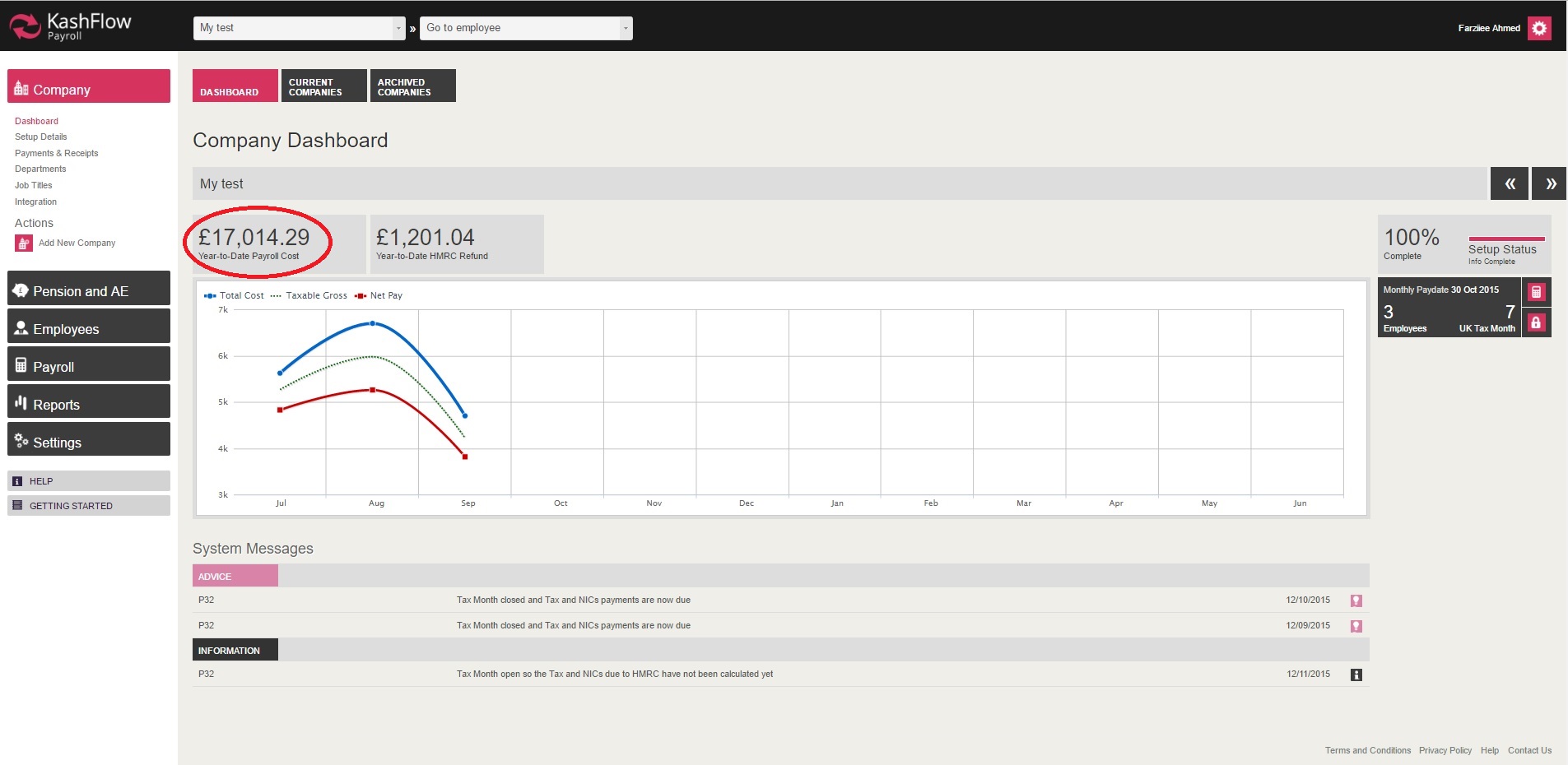
The above graph displays that the company has had a cost which had risen in August and then went back down, based on the payments the employees received in September pay period.
Year-To-Date HMRC Refund
The HMRC refund displayed on the company 'Dashboard' indicates how much the company can or have already claimed back from HMRC.

The HMRC total includes any statutory leave repayment or Employment Allowance. These total will be included in the company 'Payments' report.
For more information on how to access company 'Payments' report, please visit: https://kashflowpayroll.zendesk.com/hc/en-us/articles/115000463006-Payments-Report
Additional - System Message
The system message area is used to inform the Payroll administrator that tax period has been completed and the PAYE payment report is now ready for user to use and make payment to HMRC.

NOTE: Any payments to HMRC will not be processed via KashFlow Payroll, therefore you will have to make any payments to HMRC outside of KashFlow Payroll.
Additional - Setup Status
If a new company record has been inserted and the setup is not complete, then you can given the option to 'Complete Now'.
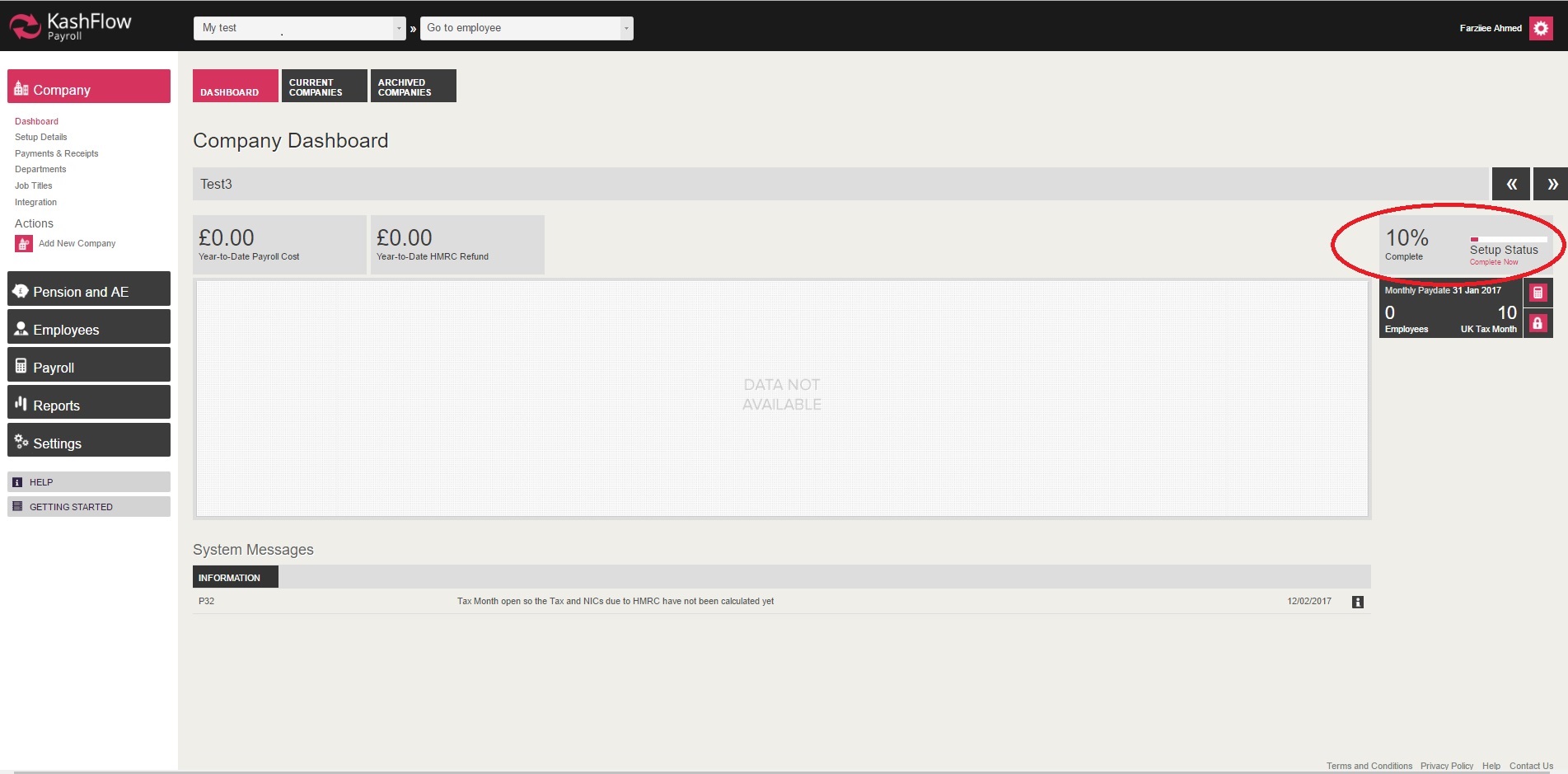
When clicking on 'Complete Now' you will automatically be navigated to the section which is incomplete
Additional - Pay Date & Period information
If you are not sure where or how to get into the payslip section for creating payslips and to finalise the pay period, you also have the option to navigate to the pay period section from the company 'Dashboard' section. (As shown on the the image below)
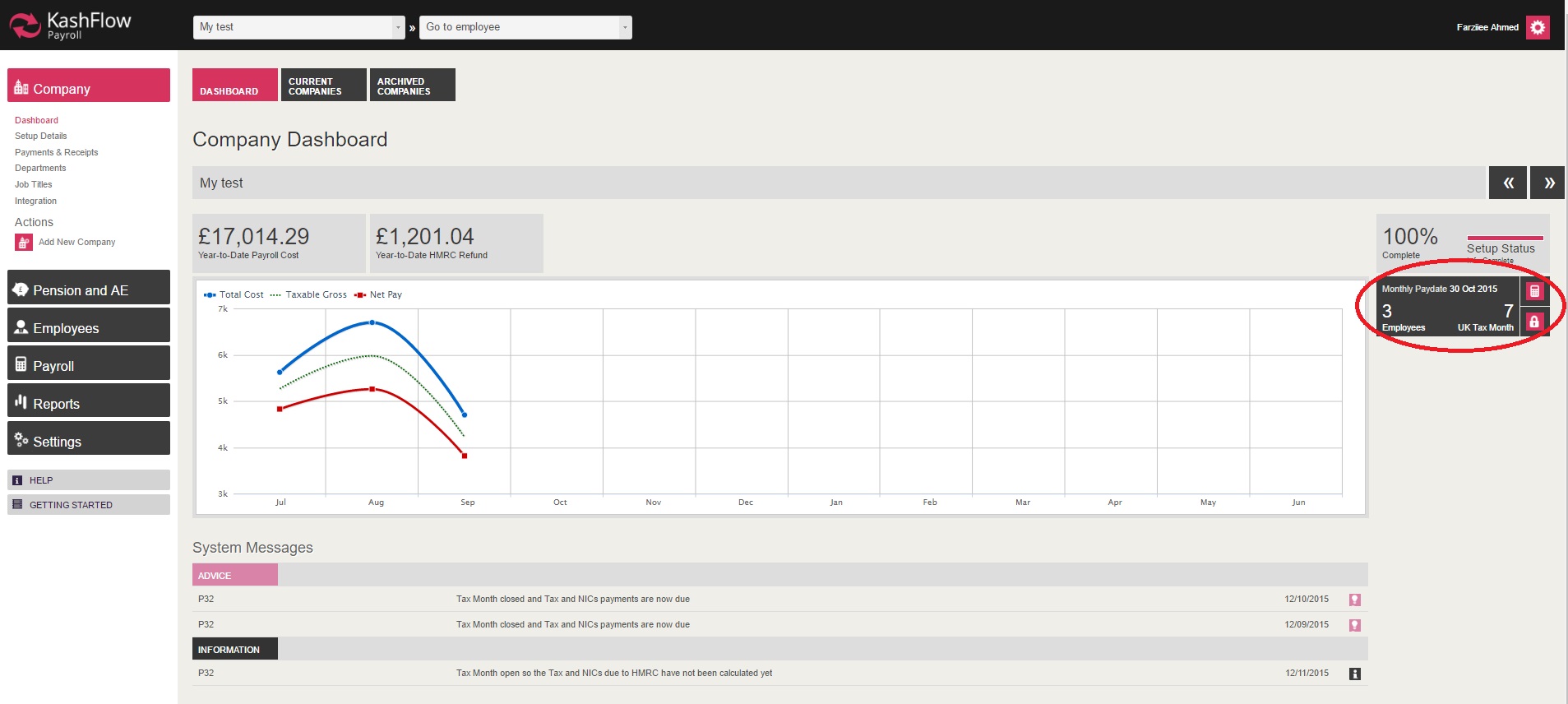
When clicking on the calculator symbol, you will be taken to the 'Payslips' area. And when clicking on the lock symbol, you will be taken directly to the 'Finalise' area.
0 Comments