 Farzana
Payment Option
There are more than one way for paying salary to employees and KashFlow Payroll enables you to have the correct report generated, should you choose to pay your employees via BACS transfer.
If you decide to make payment to your employees via BACS, then the setting will have to be correctly completed before the pay period has been finalised.
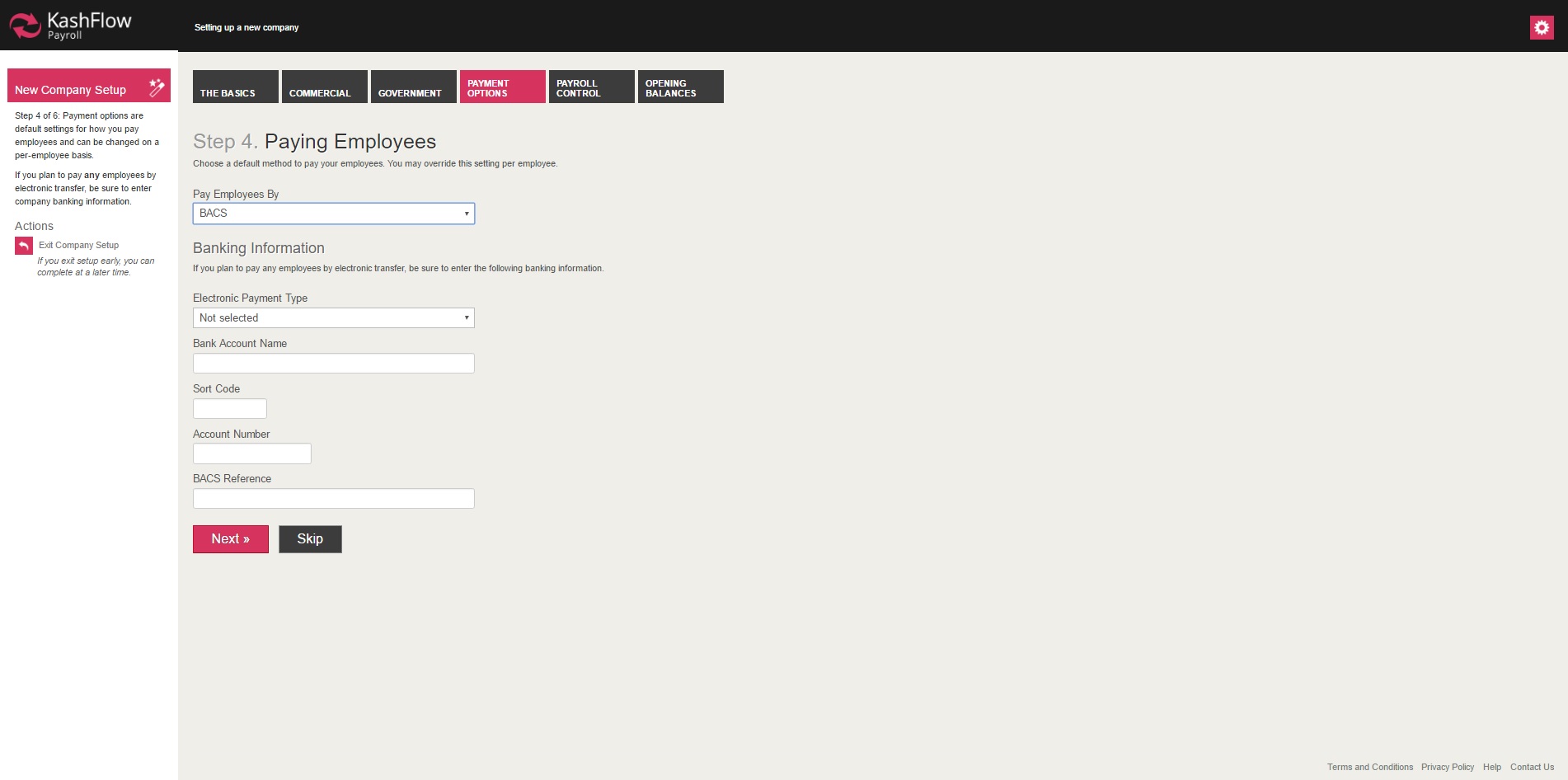
Payment options
This company setup tab is all about how you pay your employees.
Pay Employees By
You can pay your employees by
- Cash
- Cheque, or
- Electronic Transfer (for example, by BACS)
- Other (for example, if you use your online banking system)
Banking Information
If you pay by Electronic Transfer then KashFlow Payroll needs to know your bank details in order to create the appropriate payment file for you. For building societies you may need to enter your Building Society Roll Number in the BACS Reference box.
When you close a Pay Date you will be able to download a BACS file for a specific Electronic Payment Type, such as
- Barclays Business Master
- HSBCnet
- Lloyds Link
- etc
You can then import the BACS file to your banking software to pay your employees directly, without having to rekey any information.
Note:
- Employee salary payments are NOT sent directly from KashFlow payroll system. This has to be done outside of KashFlow payroll.
- If you would like to pay employees by BACS, then you will need to set up a BACS account. Please contact your bank for more information.
- Please be aware KashFlow payroll will only generate the output file required to make BACS payment on the BACS portal.
Payroll Control Section
This part of the setup wizard will allow you to choose the 'Default Pay Date', select the correct 'Bank Holiday' settings and enabling auto email payslip delivery function.

Monthly Payroll
KashFlow Payroll how you want your Pay Dates to be set because every time you close a Pay Date, KashFlow Payroll will create the next one for you. For example, you may want your weekly Pay Dates to be on every Friday, or your monthly Pay Dates to be on the 25th of the month or earlier if this is a weekend or bank holiday.
Payslip Format and Delivery
This enables you to select the method and format you wish the payslip to be printed or electronically sent to the employees directly.
Employee Self Service
If you choose the delivery method to be 'Employee Self Service', KashFlow Payroll will automatically email the payslips to the employees, once the pay period (after completion of setting) has been finalised.
0 Comments