 Farzana
This report will display the employee payslip items for each pay period, along with the 'Employer NI' contribution.
In order to access the 'Payslip Cross-tab' report, you will need to go in to: Reports > Payroll.
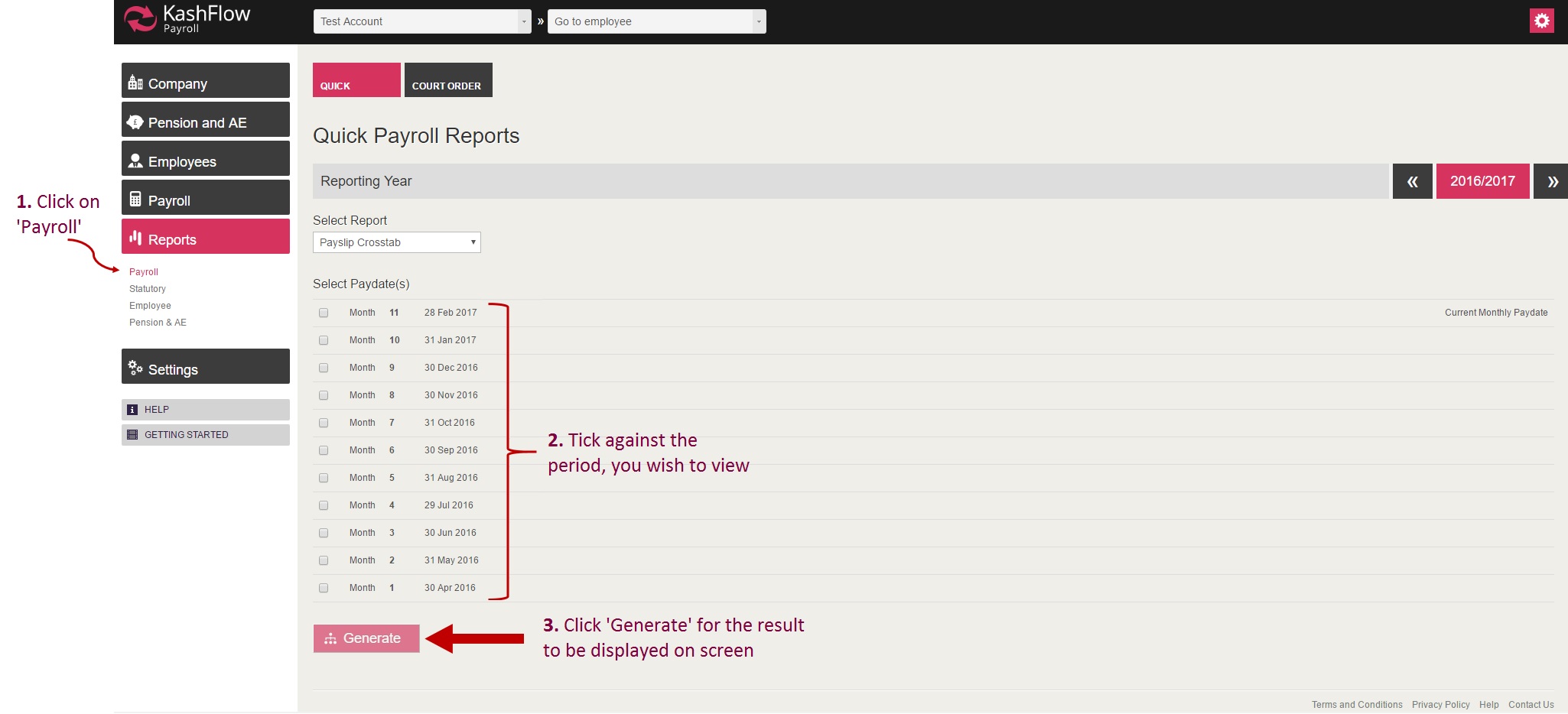
Once you are in Reports > Payroll, you will need to tick the period you wish to view and then click 'Generate' for the information to be displayed on screen.
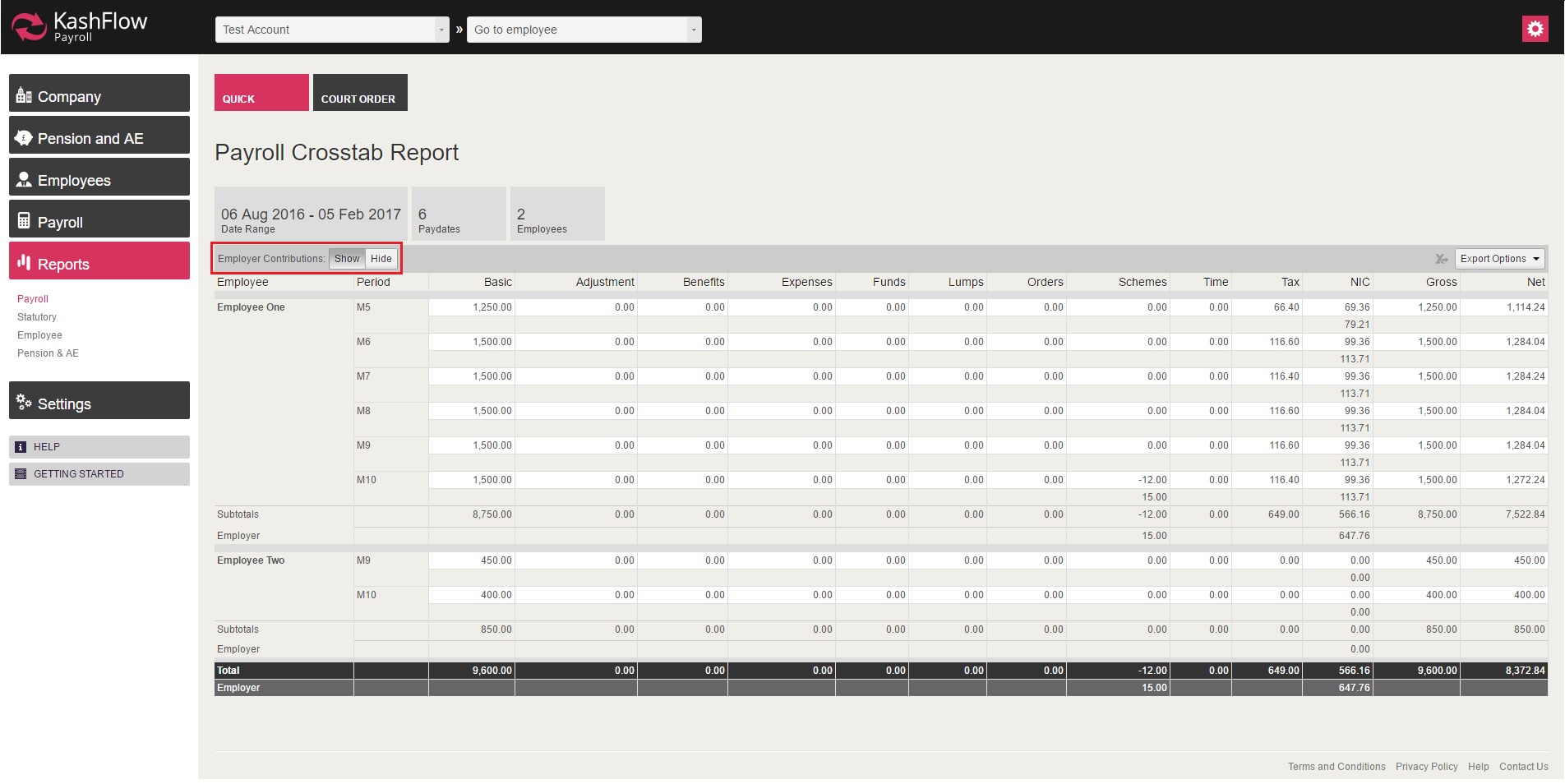
The 'Employer NI' contribution will be hidden, when the report is generated, hence in order for the contribution to be displayed you will need to click on 'Show' (highlighted on the image above).
NOTE:
- The report can be saved as PDF or Excel format
- This report does not reflect 'Employment Allowance' deduction.
For 'Employment Allowance' please visit: https://kashflowpayroll.zendesk.com/hc/en-us/articles/115000463006-Payments-Report
0 Comments