 Farzana
This article will guide you through the process of deleting duplicate company record, which may have been entered in the Payroll account as duplicate by mistake.
Step 1 - Click on the 'Company' option on the top left hand side, to extend the list and then go to 'Dashboard'
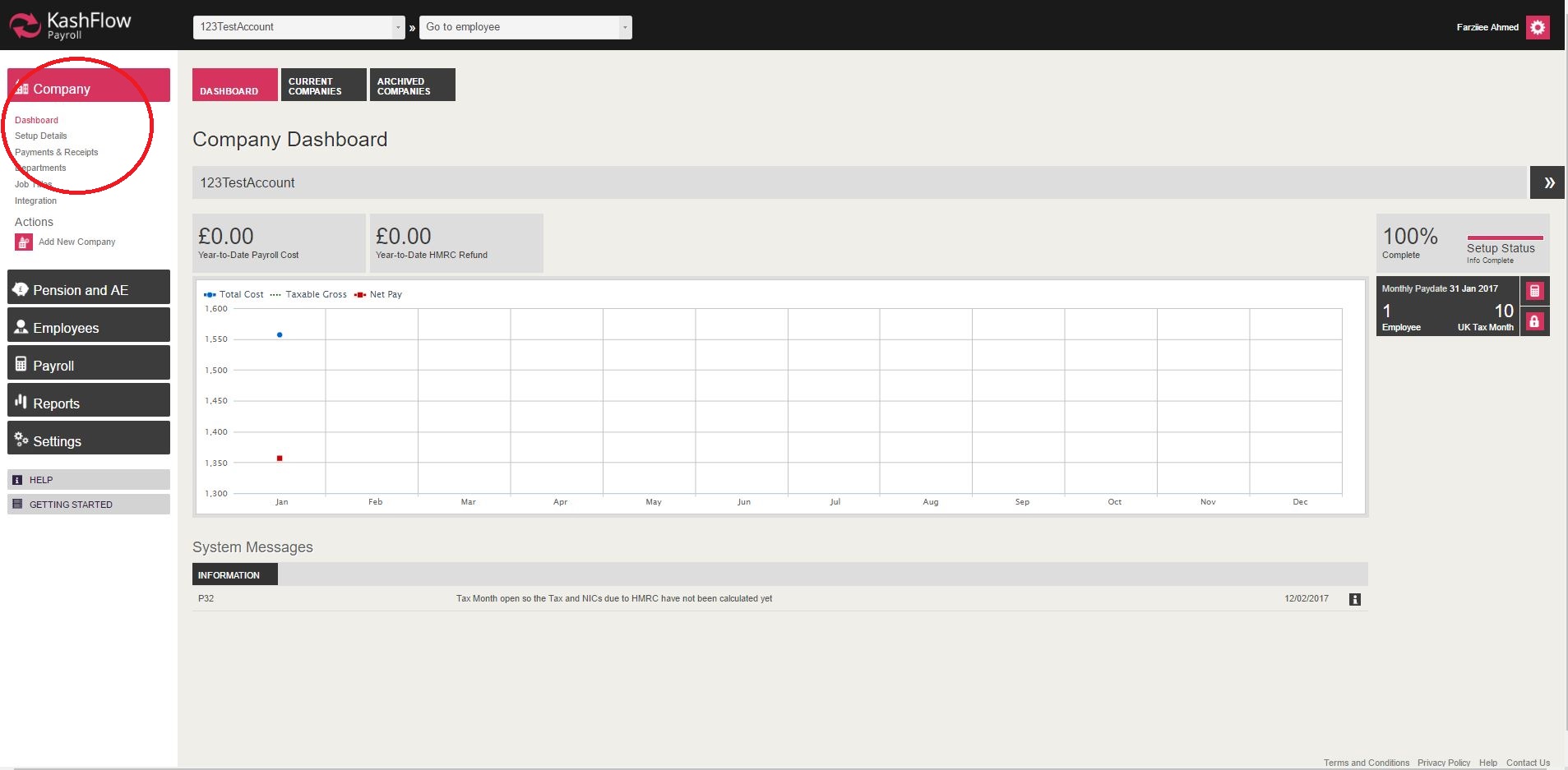
Step 2 - In the company 'Dashboard' section, you will need to click on the option 'Current Companies'

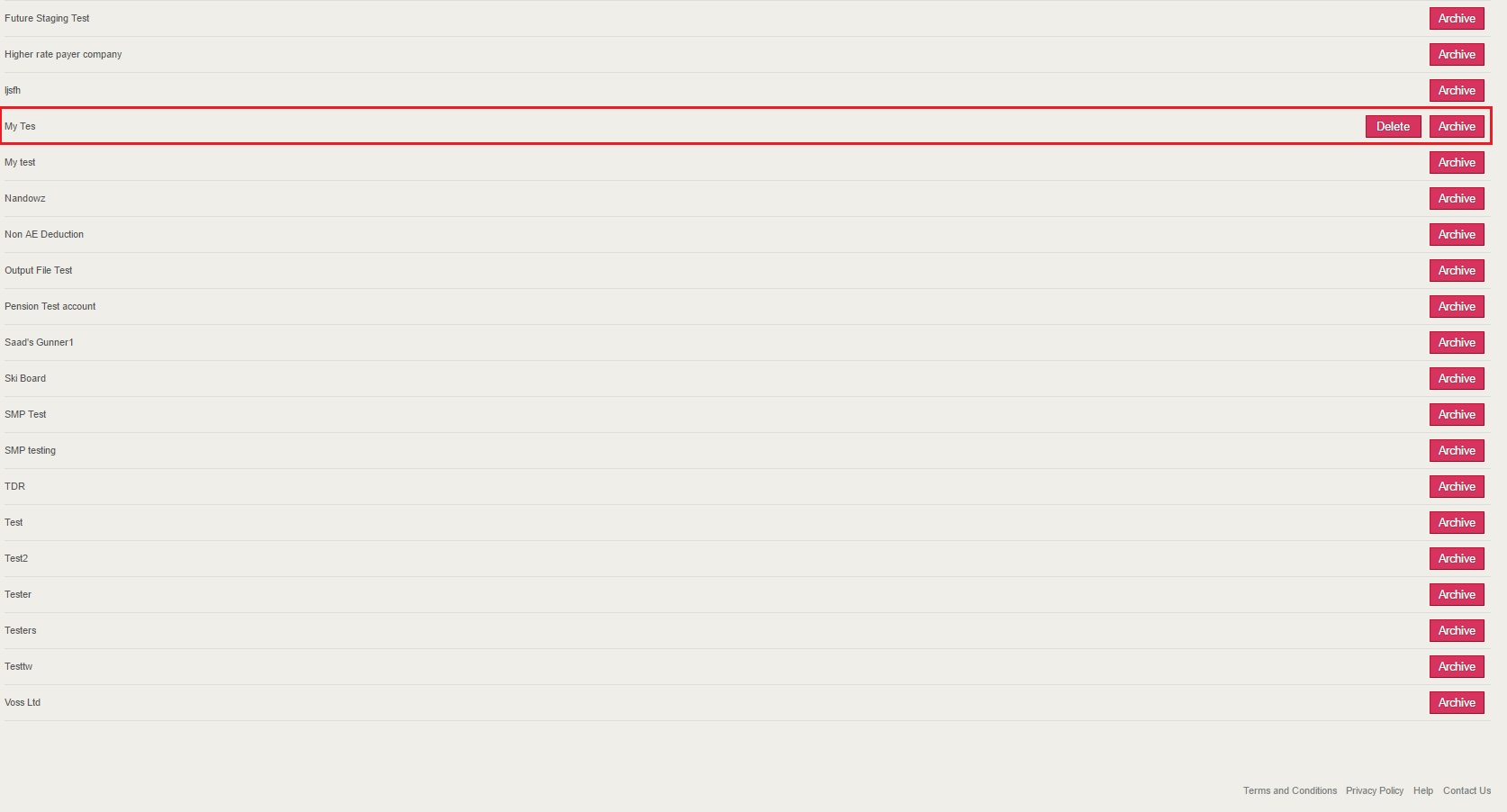
Step 3 - You are then required to find the duplicate company record and then click 'Delete'
Step 4 - You will be navigated to another screen, where you will be asked to reconfirm deletion.
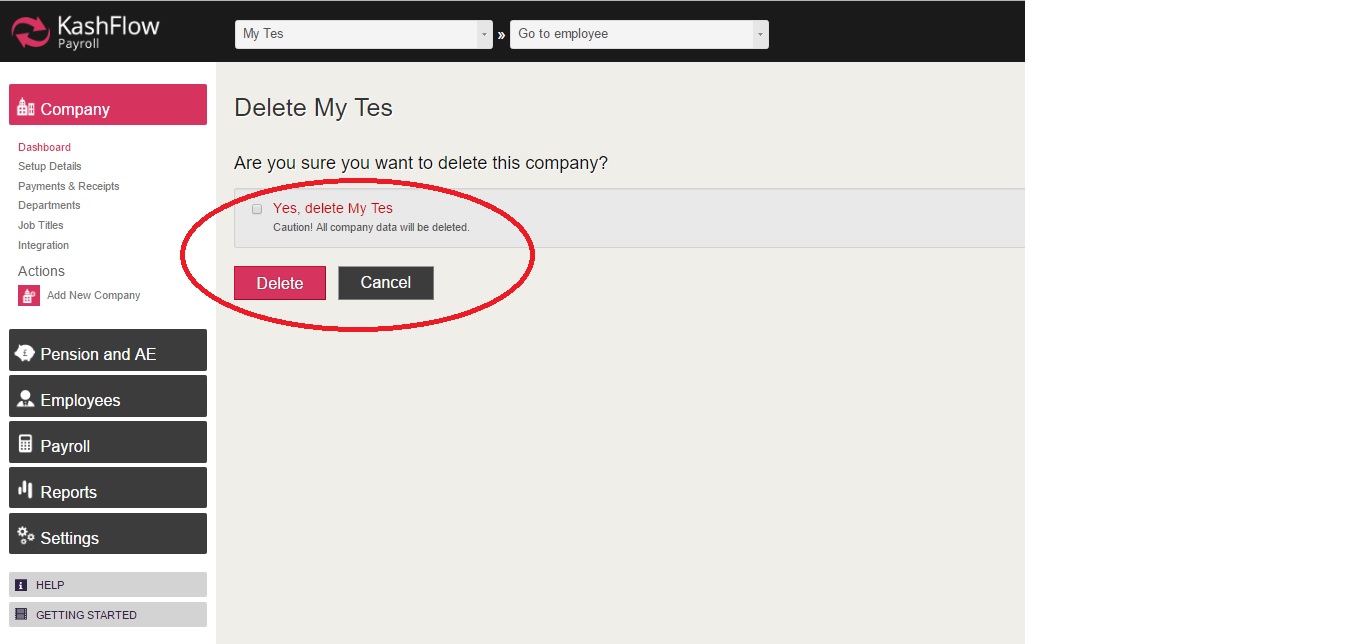
Once you have completed the above steps, the company record will be removed from the 'Current Companies' section
IMPORTANT: Please be aware that if there is an employee in the company or if an RTI submission has been sent to HMRC, then you will not be able to delete the company record.
Hence you will only be given the 'Archive' option (as shown in the image above).
0 Comments