 Farzana
When an employee is off sick, the statutory sick pay is calculated based on the number of days the employee has been on sick leave.
It is important to setup the working pattern, in order for KashFlow Payroll to calculate the correct sick pay and apply on the employee payslip.
Setup Instruction
Step 1:
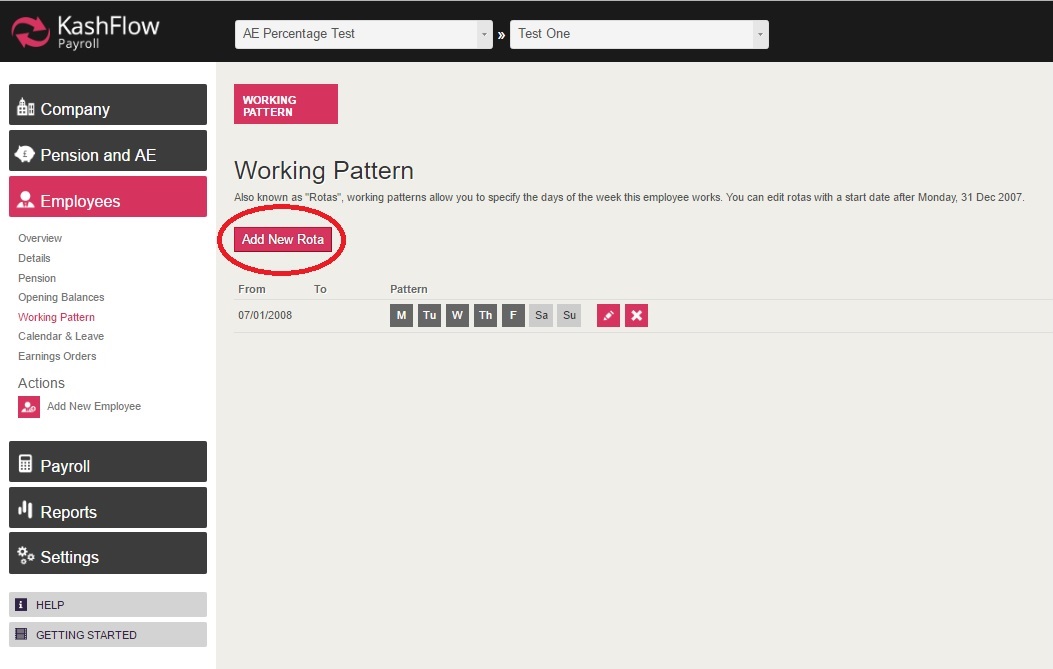
- You will need to go to: Employee > Working Pattern
- Click 'Add New Rota
Step 2:
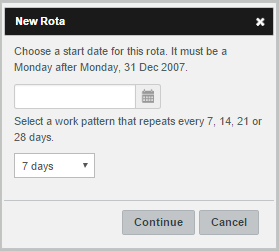
Upon clicking on 'Add New Rota', a pop-up box will appear in which you will need to enter in the start date and select the repeat option.
Step 3:
When you have selected the start date and repeat option, you will be taken back to the main 'Working Pattern' screen, where you will be asked to select the days.
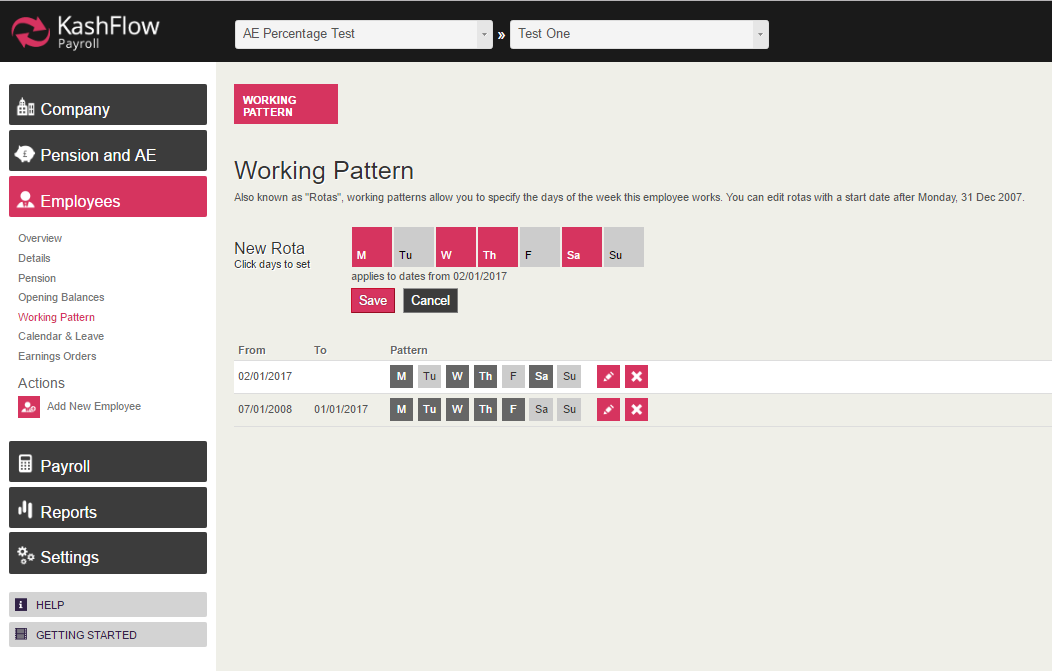
Once selecting the days, you will have to click 'Save' for the changes to be applied. You can then delete the old record, should you wish to do so.
0 Comments