 Farzana
When an employee fails to make payment to the government, they are given an earnings order from the court. An earnings order can be either fines, civil debts, maintenance excreta.
The employer will be sent a notification directly from the body, based on the type of earnings order.
To setup earnings order on KashFlow, you will have to go to: Employee > Earnings Order. Once you are in the correct area, you will then need to do the following:
- Select the type of 'Earnings Order'
- Enter in the Start/Judgement Date
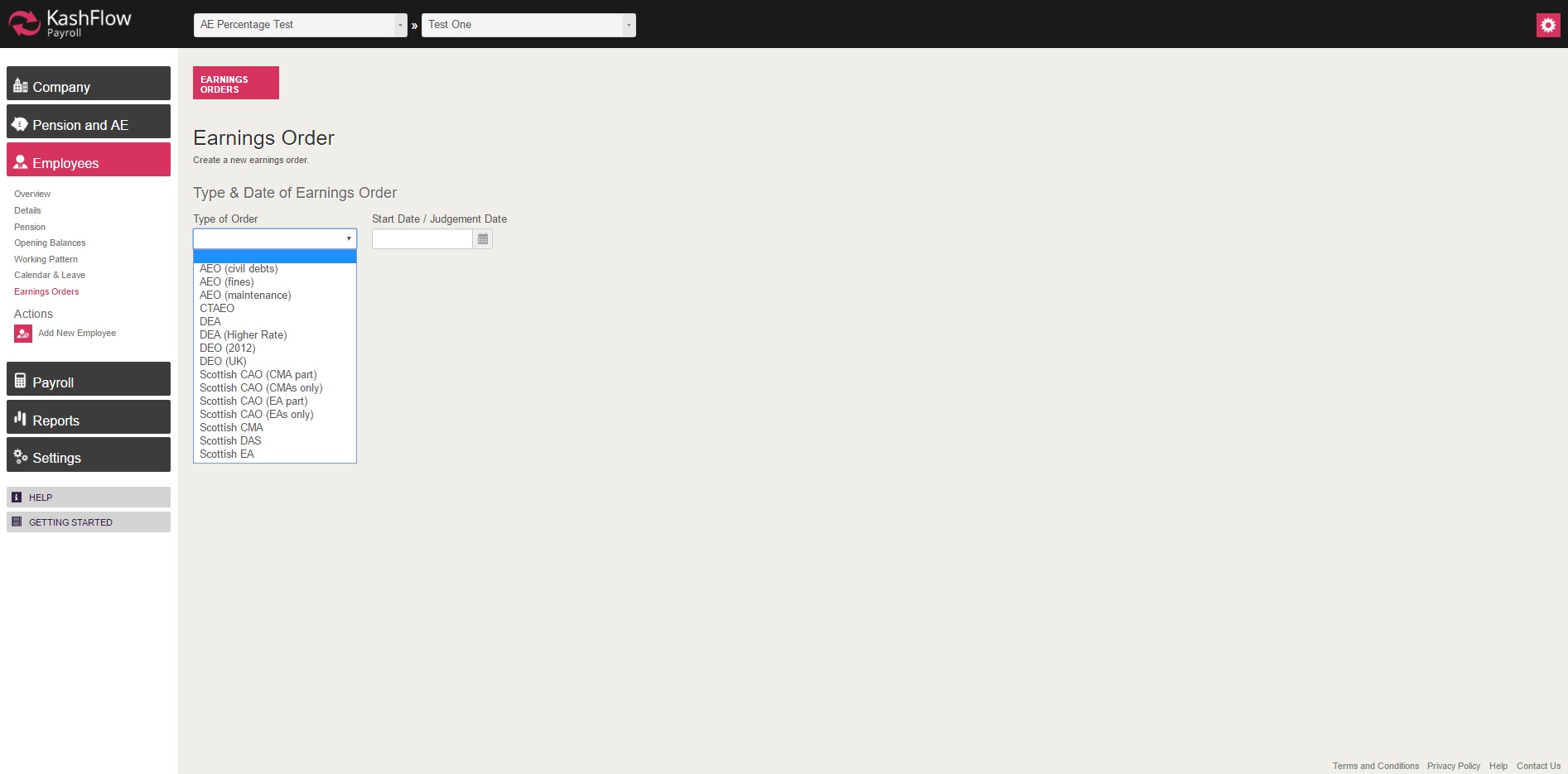
Upon entering the date you will be navigated to another page, where you will be asked to enter in additional information.
Earnings Order Details
- Total Due
- Opening Balance (this is the amount employee already paid. If applicable)
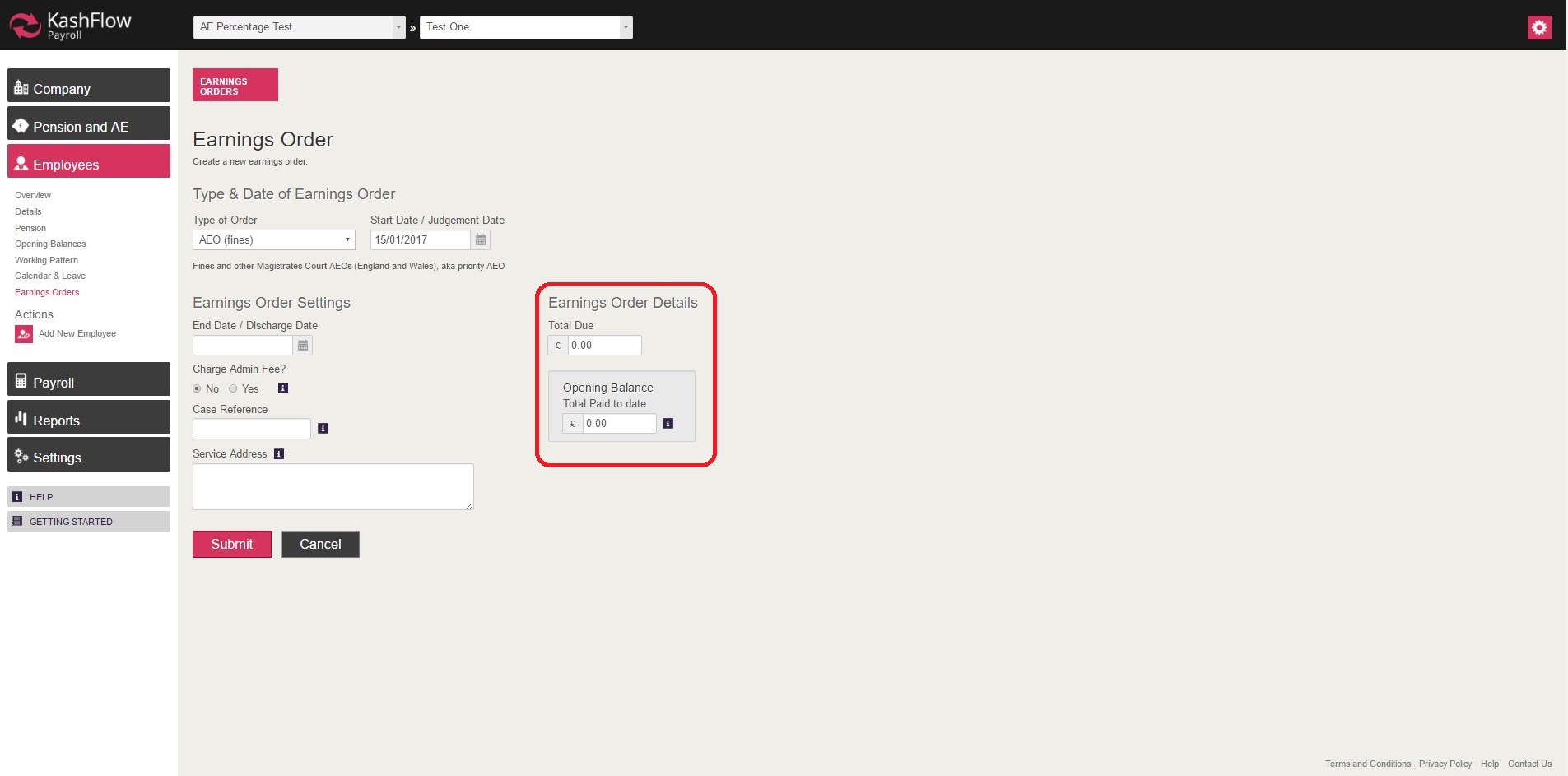
OR
- Normal Deduction Rate (NDR)
- Protected Earnings Rate (PER)
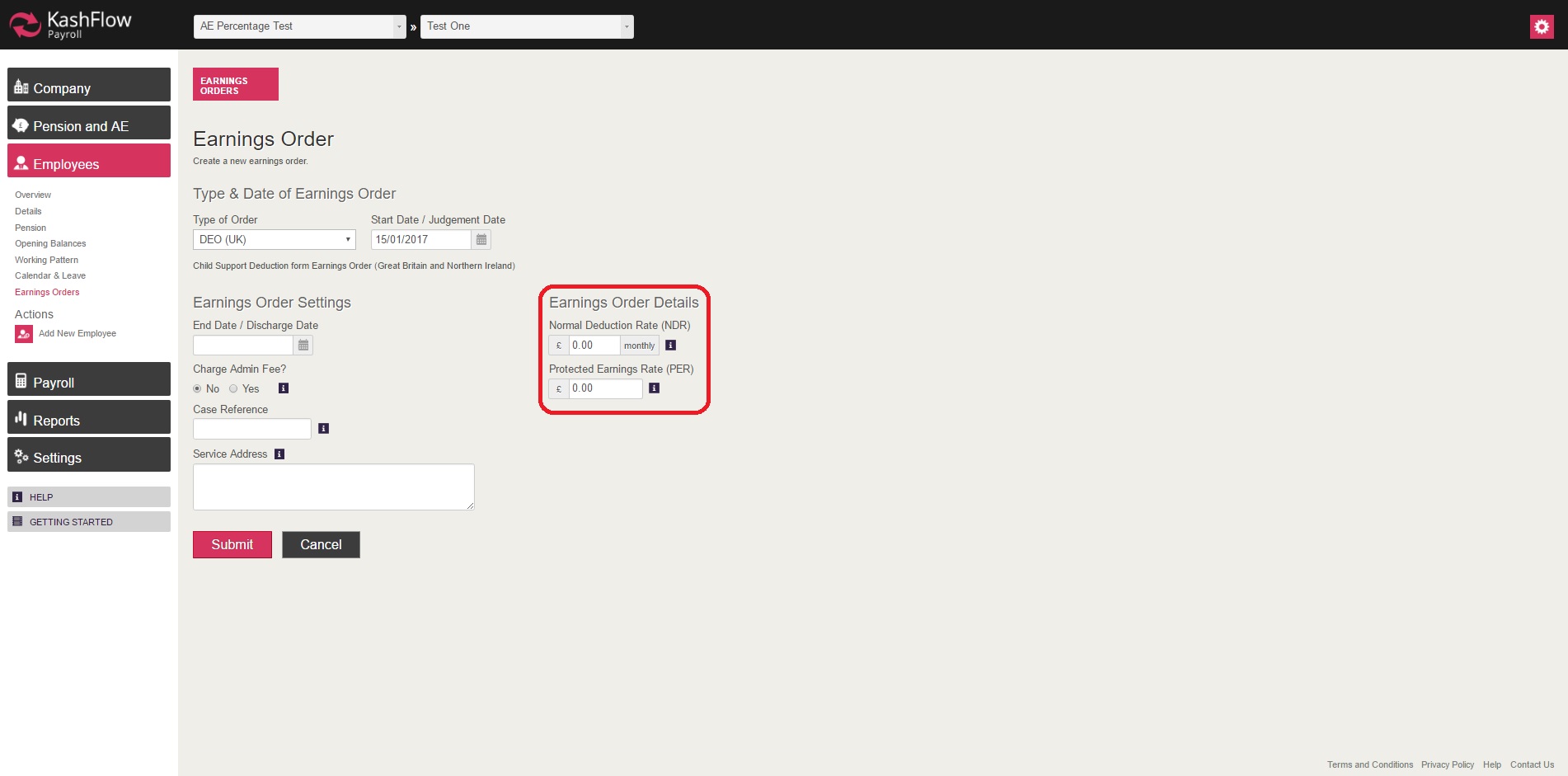
Earnings Order Settings
- End Date / Discharge Date
- Charge Admin Fee
- Case Reference
- Service Address

Once all fields are filled in and the changes have been submitted, the deduction will be automatically applied on the employees payslip for periods processed after the setting.
NOTE: based on the 'Type' selected, you will be given fields to indicate the deduction amount.
IMPORTANT:
The protected earning calculation settings are hard coded on the back end of the system, hence the earnings order details cannot be amended via users
0 Comments