 Farzana
When an employee is automatically assessed as 'Entitled Worker' or 'Non-Eligible Jobholder', they have the option to opt-in to the pension scheme at any time.
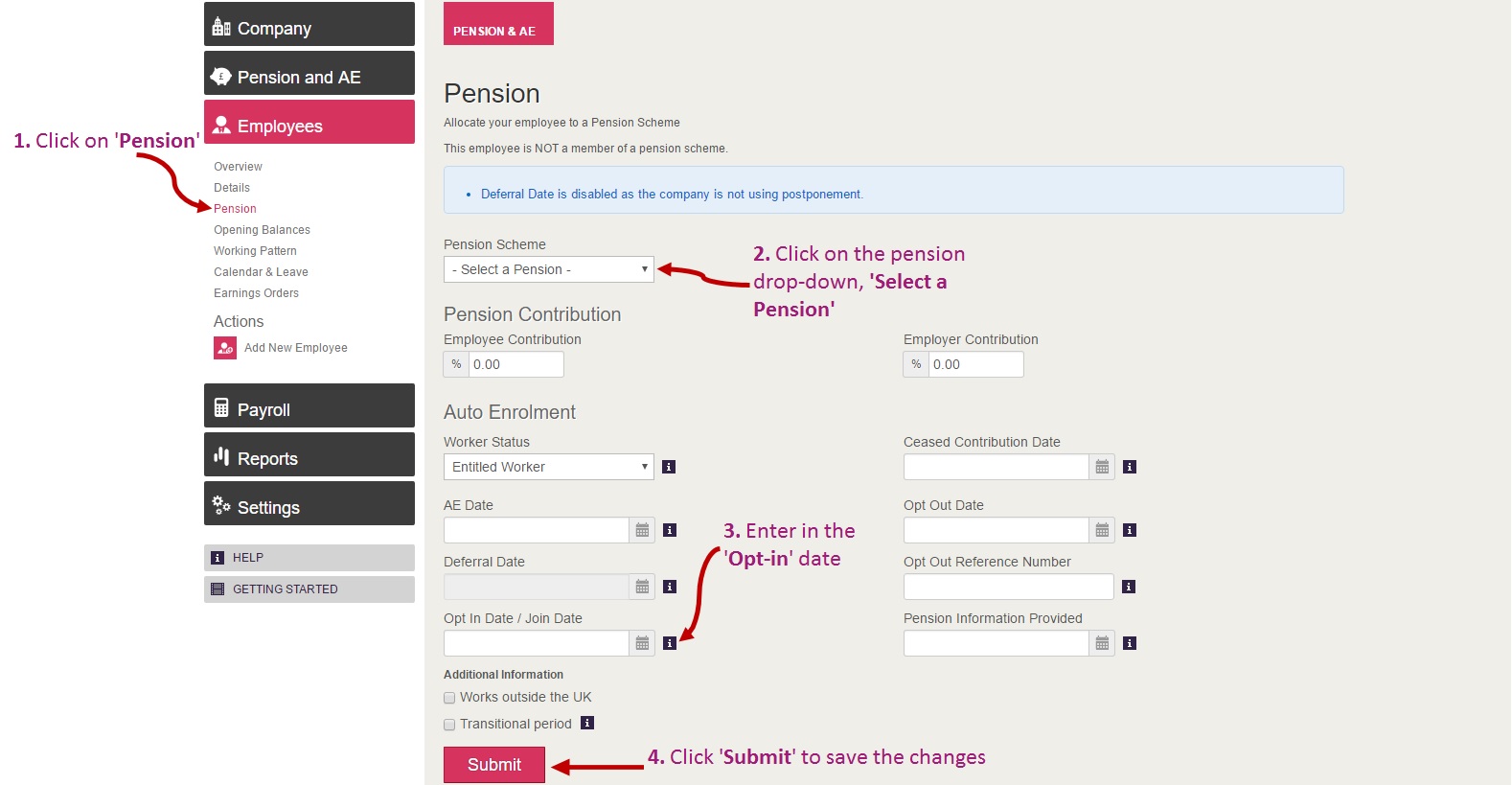
To enter the employee in the pension scheme, you will need to do as follows:
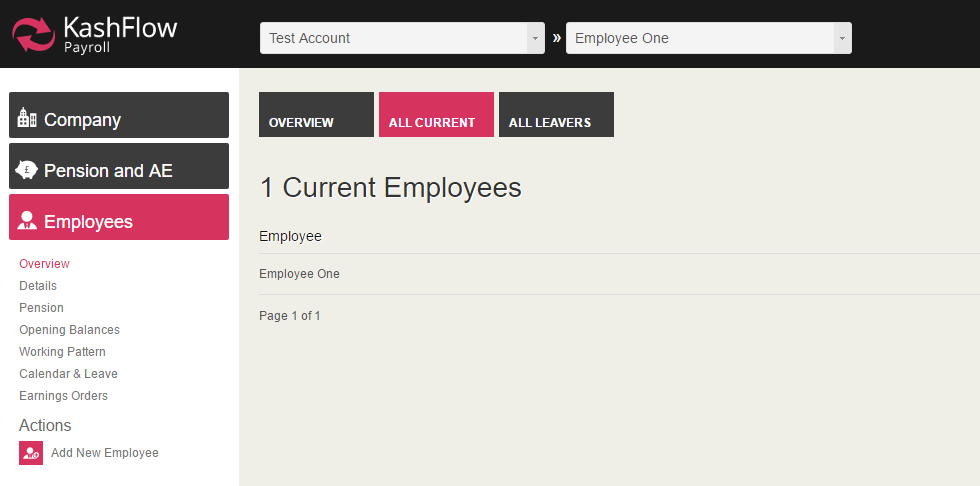
1. Select the correct employee record - this can be done by going to: Employee > Overview > All Current > select the employee you wish to amend.
2. Navigate to the correct area - the opt-in can be processed via the 'Employee > Pension' section.
IMPORTANT:
If the payslip is deleted after the above changes have been applied, then the Pension setting will also be removed.
The above setting will be applied as permanent once the period is finalised with the settings in place
0 Comments