 Farzana
If an employee decides to opt-out of 'Auto Enrolment Pension' then they have a time frame in which they must notify the employer to be removed from the pension scheme and to be eligible for a pension refund.
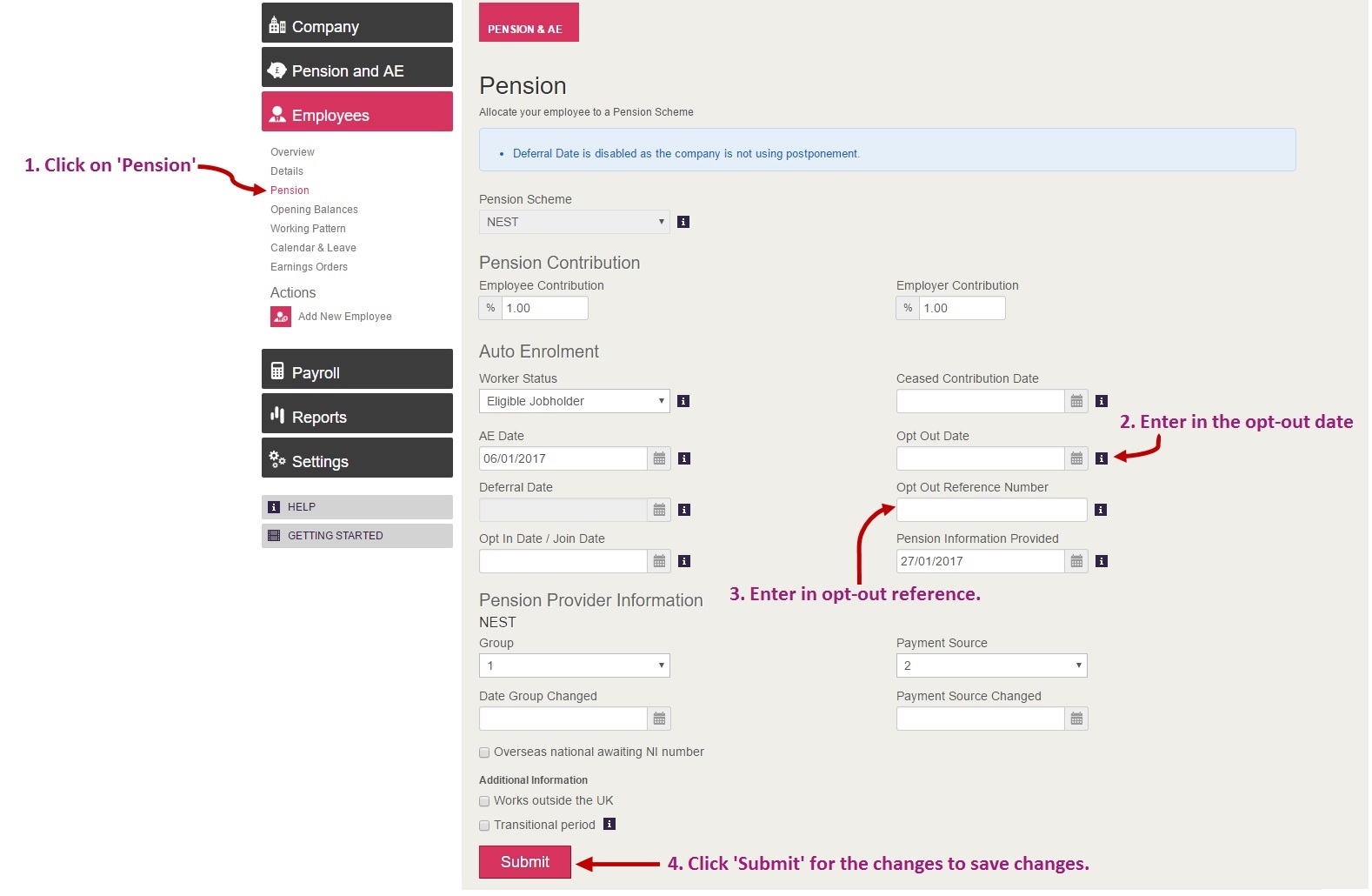
Employee Opt-Out
1. Select the correct employee record - this can be done by going to: Employee > Overview > All Current > select the employee you wish to amend.

2. Navigate to the correct area - the opt-out can be processed via the 'Employee > Pension' section.
 IMPORTANT:
Opt-out reference is required if you are with NEST pension provider. If there are no reference, then you should be able to proceed with the opt-out setting by entering in a mock reference.
This reference is not submitted to HMRC, hence it should not cause any issue.
0 Comments