 Farzana
The Basics section
To setup a company record it is important to state the company name and the pay cycle in which the employees will be paid in.
When adding a new company record, you will be asked to provide the following in the first section:
- Company Name
- Whether if the company has participated in RTI previously
- What pay cycle employees are paid under
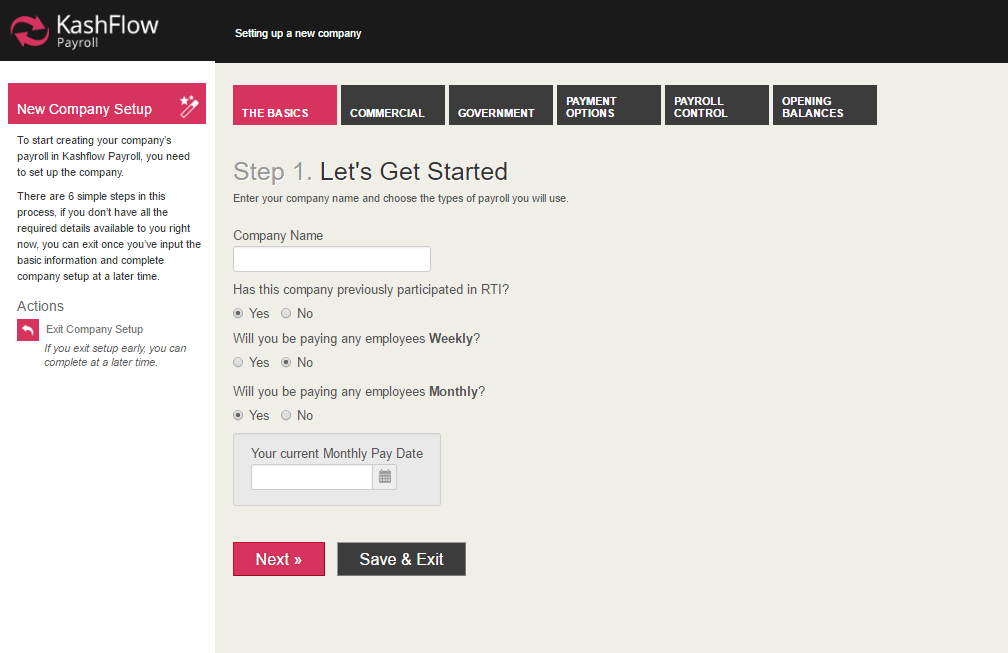
NOTE: In order for the period calendar to be displayed on the screen, you will need to tick 'Yes' on 'Weekly' and/or 'Monthly'
Commercial section
In the Commercial information tab, you will need to enter in the company contact details, which will be displayed on the employees payslip and will be sent to HMRC via RTI submission.
These are the filed's which requires completing:
- Business Type (this is an optional field, but gives us an idea of what kind of employer you are.)
Mandatory Requirement:
- Address
- Additional Address Lines
- Postcode
- Telephone
NOTE: it is very important for the company contact details to be correct, as this may cause RTI failure.
0 Comments