 Farzana
Each Company in KashFlow Payroll represents a PAYE Scheme and HMRC will have given you some references and numbers.
It is mandatory to have the correct information completed in this section, as this is used in HMRC RTI submission data checks.
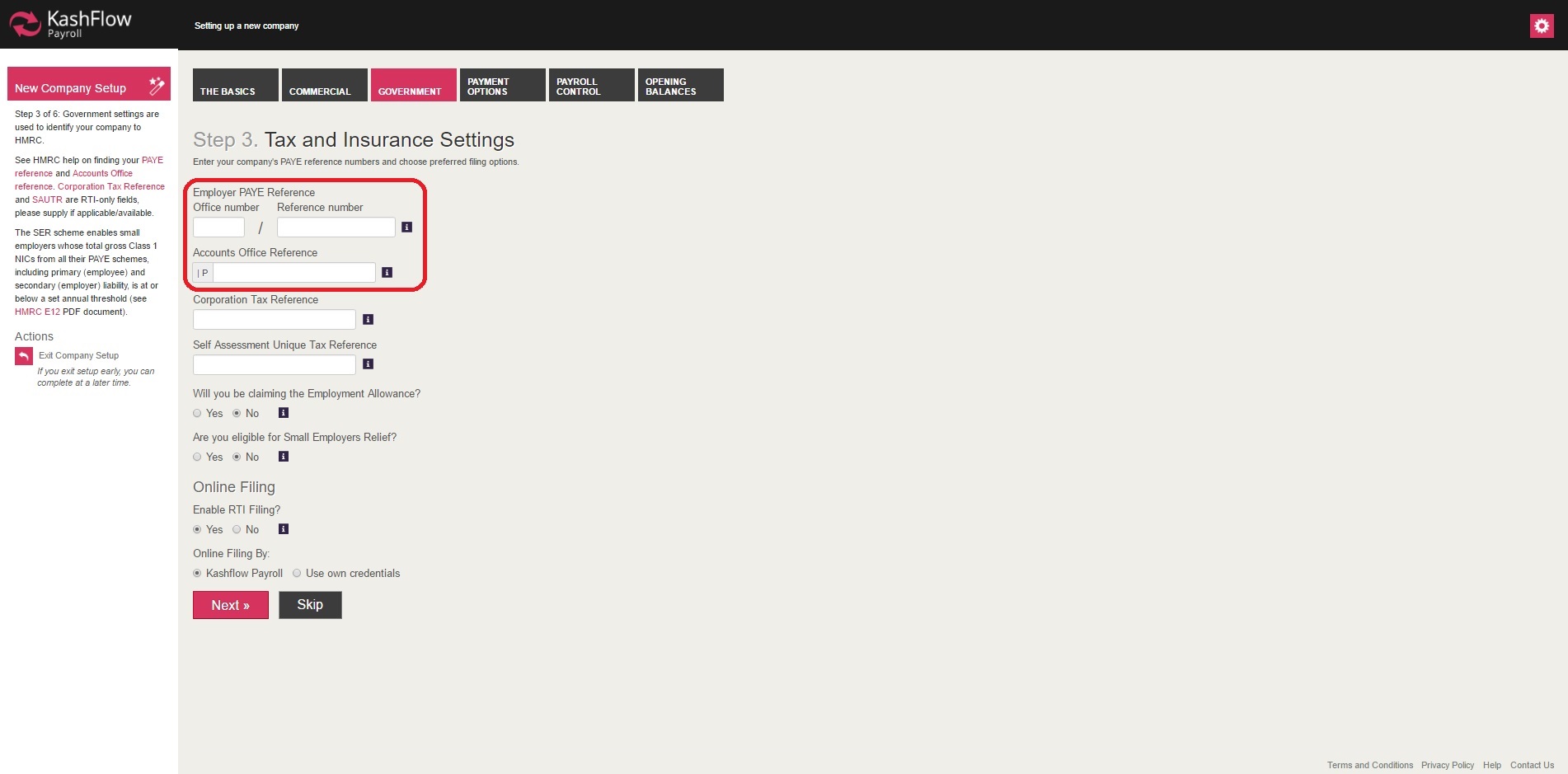
In the 'Government' section, you will be asked to enter in the Employer PAYE Reference and to indicate information about RTI submission.
Employer PAYE Reference:
Office Number/Reference Number
You will find this reference on the yellow PAYE Payslip booklet supplied by HM Revenue & Customs (HMRC).
Accounts Office Reference
You will find this 13 character reference number on the PAYE payment booklet or letter supplied by HM Revenue & Customs, printed in the format 123PA12345678. References that are not 13 characters long require zeros (0) entering after the two letters to make it up to 13 characters e.g. 123PA00045678
Corporation Tax Reference
This reference, also called the Company Unique Taxpayer Reference (UTR), is ten digits long and applies to limited companies. You will find this reference on the ‘Notice to deliver a company Tax Return’ (HMRC form CT603).
Self Assessment Unique Tax Reference
This reference is ten digits long and usually applies to sole proprietors or partnerships. You will find this reference on a Self Assessment return that you have made to HMRC.
NOTE: Prior to RTI this reference was written on paper forms in the following format [123 12345 67890 A]. Only the ten numbers in italics, but without the space, are the Tax Reference. The first three numbers represent the tax office and the ‘A’ is a remnant of the CT payment system.
Contracted Out Number
This is required if your company has a certified contracted out pension scheme. All ECONs begin with the letter “E”.
Will you be claiming the Employment Allowance?
HMRC is giving businesses and charities £3000 off allowance, which is taken off the employers NI contribution.
For detailed explanation of 'Employment Allowance', please visit: https://kashflowpayroll.zendesk.com/hc/en-us/articles/115000479883-Employment-Allowance
Are you eligible for Small Employers Relief?
The small employer relief allows eligible company's to claim the full amount of statutory leave from HMRC.
For detailed explanation of 'Small Employer Relief', please visit: https://kashflowpayroll.zendesk.com/hc/en-us/articles/115000479923-How-To-Claim-Small-Employer-Relief
Online Filing:
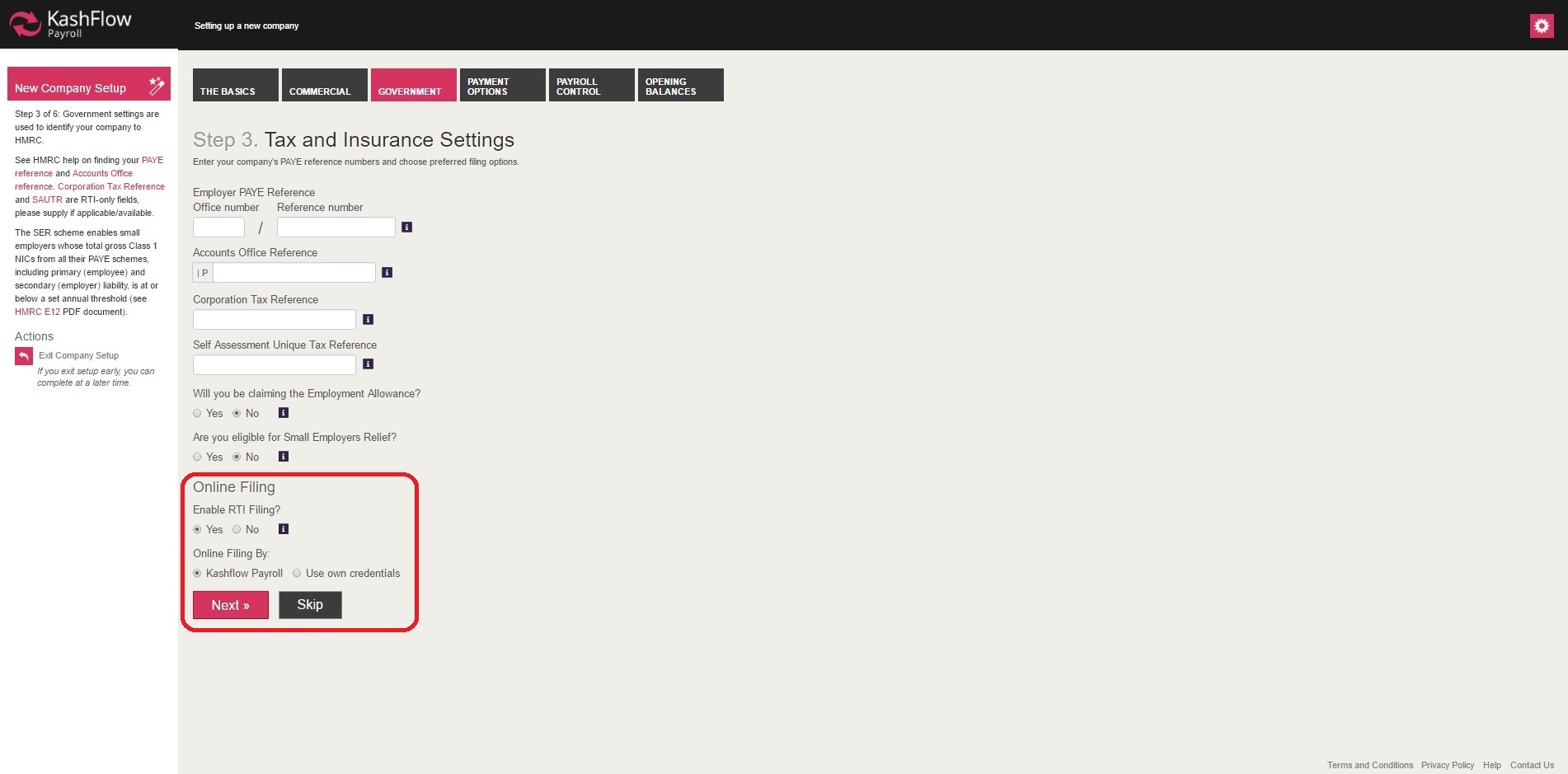
Enable Online Filing
This option will give you an option to have the RTI filing enabled or disabled.
An FPS submission is required on or before every Pay Date and KashFlow Payroll will perform these automatically for you when you finish with a Pay Date. You should only disable RTI Filing if you are sure RTI submissions have already been made for the Pay Dates you are closing. Examples of why you could turn RTI Filing off are:
- A separate system is performing the RTI submissions.
- Historical data is being entered in to KashFlow Payroll so actual RTI submissions are not required.
- KashFlow Payroll has already made the RTI submissions because the user has performed the Rollback Action to an earlier Pay Date. A Rollback generally disables RTI Filing and any amendments to the earlier payroll will be reflected in the Year To Date figures of the next normal FPS when RTI Filing is enabled again.
NOTE: If RTI Filing is disabled you must remember to turn it on again when processing the current Pay Date and KashFlow Payroll will remind you to do so.
Online Filing By - KashFlow Payroll
This option will allow you to use KashFlow Payroll credentials for submitting RTI data to HMRC. KashFlow Payroll is registered with HMRC for making RTI submission for users.
However an individual company will not be able to view the RTI data on HMRC record, as KashFlow Payroll credentials are used by multiple user's.
NOTE: as mentioned above an RTI submission for each company, is identified by the company PAYE reference number. Hence as long as the PAYE is correct using KashFlow Payroll for RTI filing will always send a specific company RTI under their PAYE record on HMRC server.
Online Filing By - Use Own Credentials
This option is available for users who wish to view the RTI submission data on their HMRC RTI submission account.
Should you wish to 'Use Own Credentials', you are required to be registered with HMRC for making RTI submissions.
0 Comments