 Nicholas
There are two main dashboards, the company dashboard and the employee dashboard.
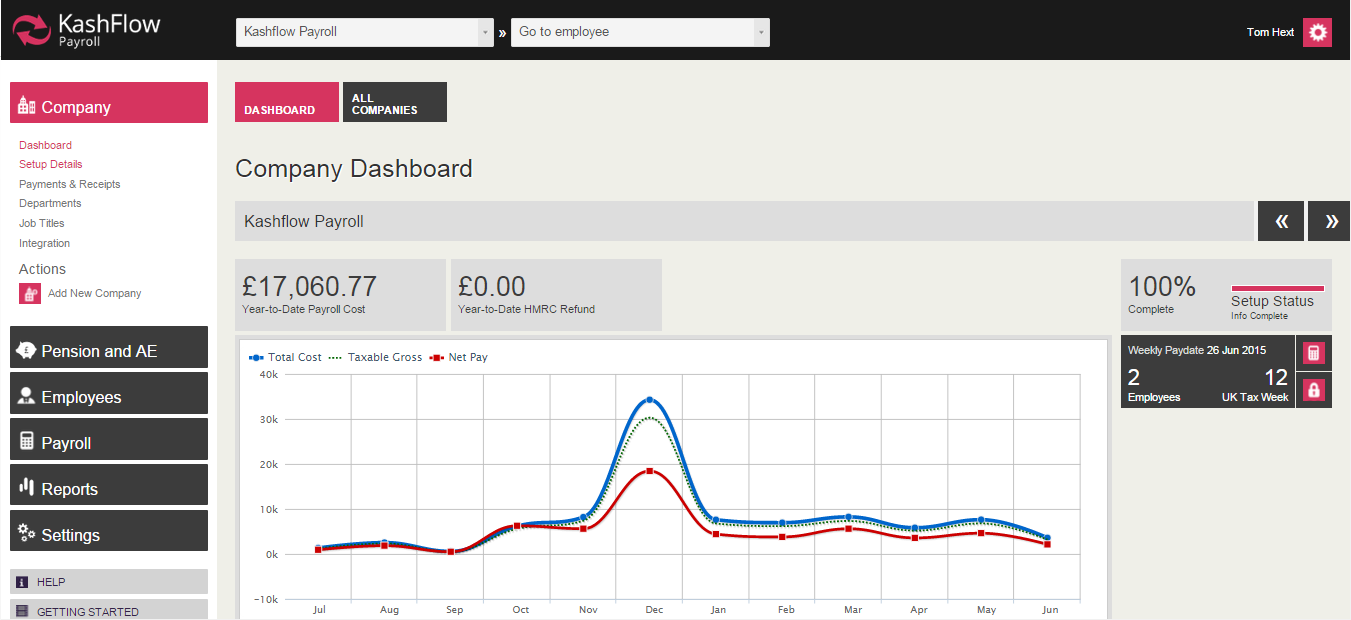
The company dashboard screen is your “home page” for that organisation within KashFlow Payroll. Each company that you have set up has its own dashboard. From here you can go directly to the current pay date and manage payslips, see a graphical overview of your last 12 months of payroll, and find system messages alerting you to important events within your companies’ payroll.
The employee dashboard is specific to each employee (i.e. you have a dashboard page for each employee you have in KashFlow Payroll). The employee dashboard gives you the Year-To-Date net pay figure, a graphical summary of recent pay to an employee, quick view-and-print of their last 6 payslips and a brief summary of employee statistics.
The following actions are also available for you from the employee dashboard:
- Go to current payslip
- Set employee’s directorship (appoint or dismiss)
- Make employee a leaver Note that these actions change if the employee you are looking at is already a leaver
- Go to leaver’s last payslip
- Rejoin this leaver as an employee
- Download / print a P45

2 Comments